Stop Generating, Start Building: Partnering with AI to End the Drudgery
Why your "AI productivity" is just new administrative toil—and how to actually fix it.
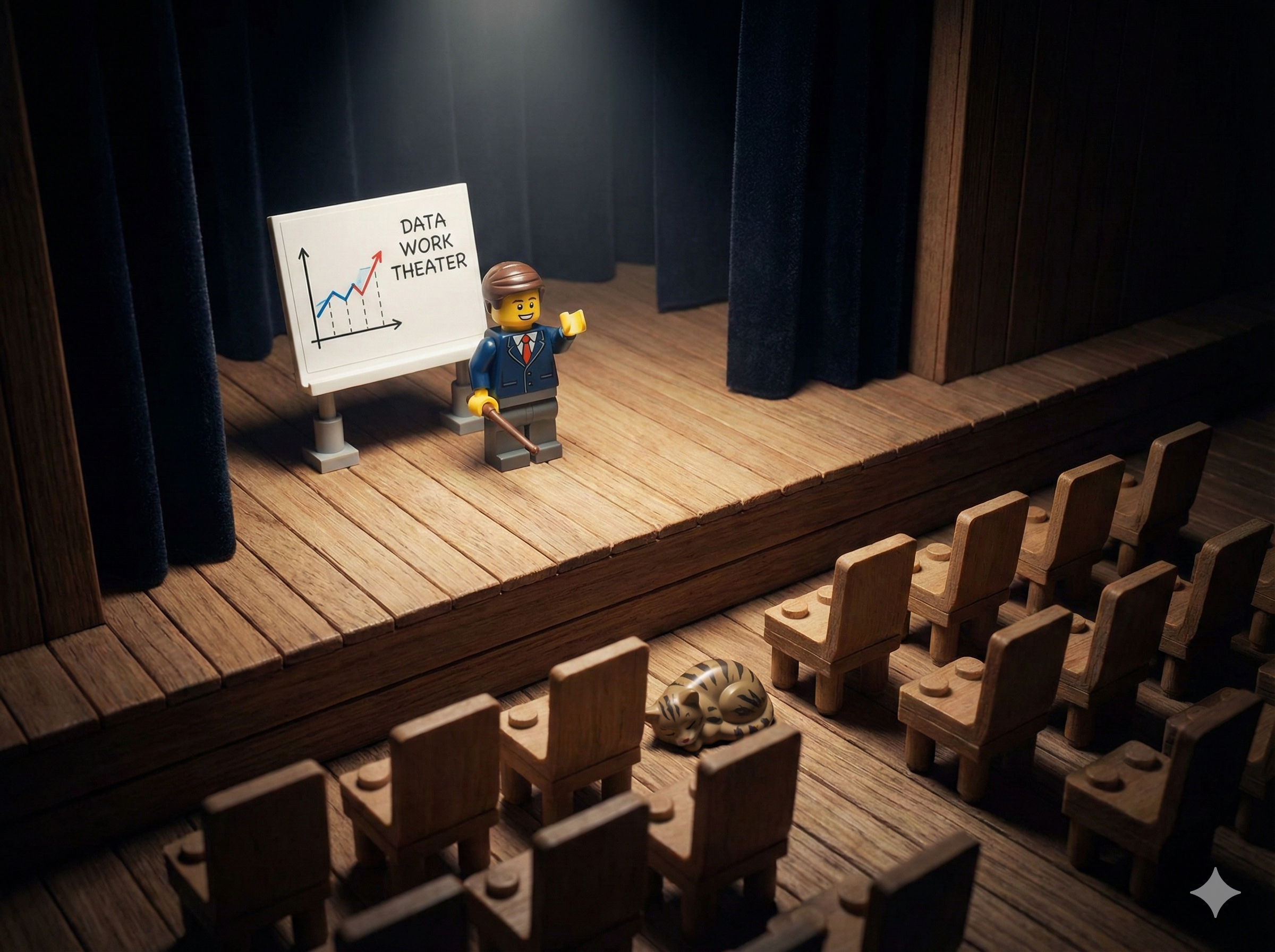
The promise of AI was automation. The reality, at least for most Scrum Masters I talk to, is just a faster way to type.
We are stuck in a loop I call Data Work Theater. You know the ritual. You export the CSV from Jira. You wrestle it into Excel, fighting with date formats and merged cells. You copy the rows you need. You paste them into ChatGPT. You prompt it to "summarize the blockers." You wait. You copy the answer. You paste it into an email. You wordsmith it because it sounds too robotic. You hit send.
And then you do it again next sprint. And the sprint after that. Forever.
That isn't automation. That's just being a very expensive copy-paste API. You have become a human middleware layer between systems that should be talking to each other directly.
As I explored in my previous post, The Lazy Scrum Master's Guide, I work very hard to be the laziest Scrum Master out there. Not lazy in the sense of avoiding work—lazy in the sense of refusing to do work that a computer should be doing instead. And right now, most of us are working very hard at tasks that computers would love to do for us, if we would just let them.
The Numbers Are Ugly
According to the 18th State of Agile Report, 43% of organizations still struggle with inconsistent processes and tools, and 41% cite a lack of visibility into work. These aren't new problems. They've been in the top five challenges for a decade. These problems keep getting addressed with meetings, with status reports, with dashboards that nobody looks at.
And now we're trying to solve them with AI-generated text.
The 2025 SAI Annual Report confirms where we've landed: our top AI use cases are "generating meeting notes" and "surfacing blockers." We are using the most powerful technology of our generation to create more text. More summaries. More bullet points. More words for people to skim and ignore.
Manual steps keep getting added to solve problems that require structural change. That's Data Work Theater. It looks productive. It feels productive. But as Christiaan Verwijs might say, it's just Zombie Scrum with better grammar. The underlying dysfunction remains untouched.
It's time to stop generating and start building. As I wrote in I Make Tools, we must embrace the identity of builders.
The Three Modes of AI
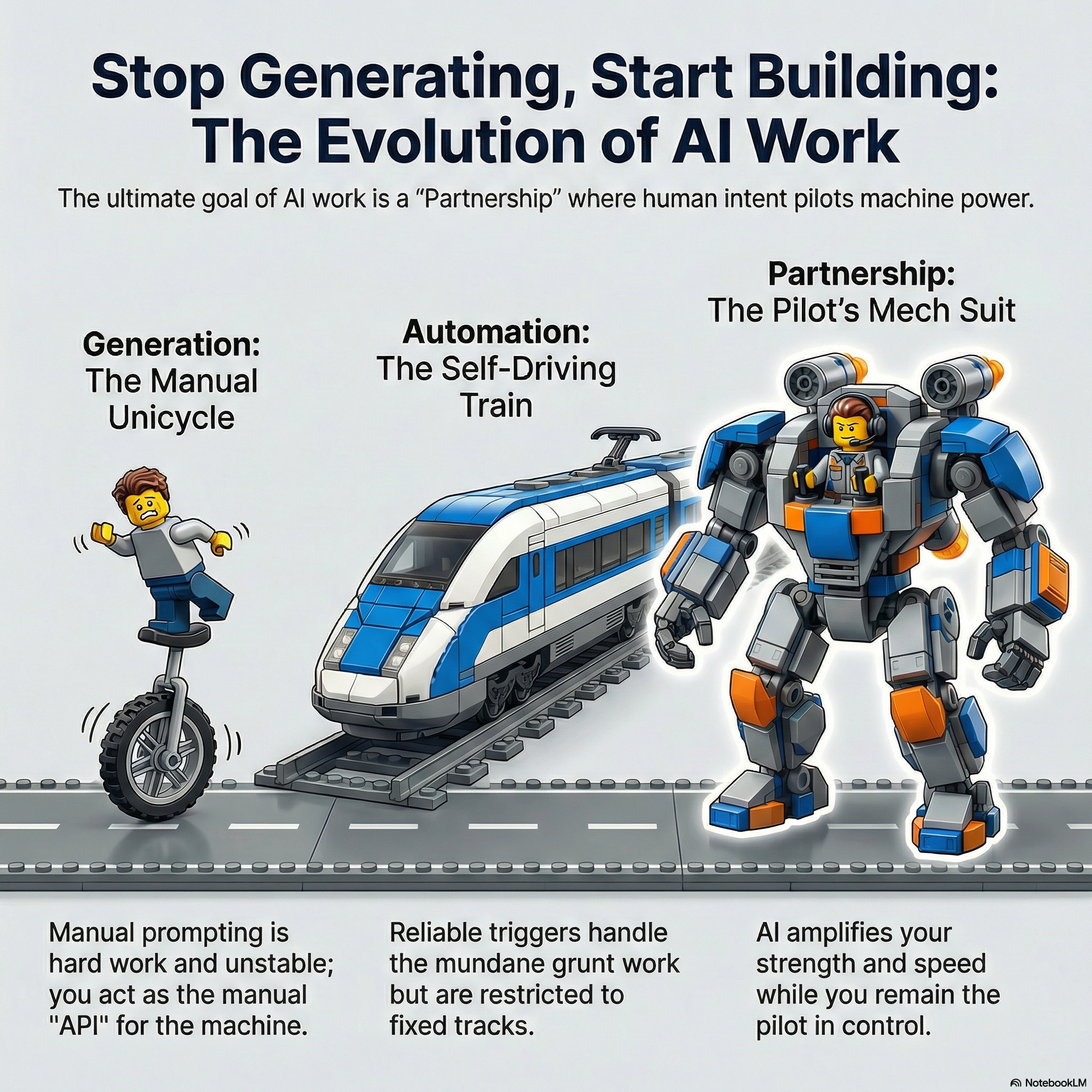
To understand where we need to go, it helps to see where we are.
Mode 1: Generation (The Output Trap)
This is where most people start—and where most people stay. You open ChatGPT, Claude, or Gemini. You type a prompt. You get a response. You copy-paste it somewhere useful.
Generation is manual labor. Every time you open that chat window and type a prompt, you are doing work. You are the orchestrator. You are the scheduler. You are the copy-paste engine. The AI is just a faster typewriter.
We're confusing Outputs with Outcomes. We are generating more documents (outputs) than ever before, but are we driving better decisions (outcomes)? When you do the same generative task every single week—the same "summarize this data" or "draft this update"—you've automated nothing. You've just added a high-tech step to a manual process.
Mode 2: Automation (The Agentic Shift)
Automation is when the work happens while you are sleeping. It's when you set up a system once, and it runs forever without your intervention.
The industry is waking up to this. McKinsey's latest research shows that high-performing organizations aren't just complying with AI usage; they are fundamentally redesigning workflows. They are moving from "chatbots" (which wait for you) to "agents" (which work for you).
Generation waits for you. Automation happens without you.
This is the target. Not for every task—but for the boring, repetitive, soul-crushing administrative tasks that eat your week.
Mode 3: Partnership
Partnership is the highest level. This is collaborative thinking with AI—using it as a thought partner to explore complex problems, challenge your assumptions, and reach insights you couldn't reach alone.
Partnership requires Generation skills (you need to prompt well), but it's qualitatively different. You're not asking the AI to produce an output. You're having a conversation that changes how you think.
Most Scrum Masters have fallen into the trap of using AI exclusively in Mode 1. LLMs are treated like talented interns we have to micromanage. We ask for a retro agenda. We ask for a definition of "Ready." We ask for a polite way to tell a stakeholder "no."
This is low-leverage work. The high-leverage work is moving to Mode 2 for admin tasks, so you have time and energy for Mode 3 on the hard problems.
The Lie We Tell Ourselves
Computers love boring work. Humans don't. Yet we keep doing the computer's job. We send manual reminders. We fix ticket formatting. We manually calculate cycle time.
Why? Because we tell ourselves a lie: "I'm not technical."
This lie has become a shield. It protects us from trying something uncomfortable. It excuses us from learning new tools. It keeps us safely in the realm of prompts and chat windows—settling for a search bar when we were promised a teammate.
Here is the truth the developers aren't telling you: If you can write a user story, you can NOW build software.
The Mindset Shift: You Are a Product Owner
Tools like Cursor and Windsurf have broken the barrier. They aren't just for developers anymore. They are for anyone who can articulate a problem and acceptance criteria.
Forget Python syntax. Forget webhooks. You don't need to understand the difference between a for loop and a while loop. You just need to know what you want.
What you need is a mindset shift. Stop seeing yourself as a "non-technical Scrum Master." Start seeing yourself as the Product Owner of your team's process.
Your "product" is the team's workflow. Your "developers" are the AI agents you collaborate with. Your "backlog" is every repetitive task you hate doing.
When you adopt this identity, everything changes. You stop asking "Can someone build this for me?" and start asking "What's the acceptance criteria for this automation?" You stop waiting for IT to prioritize your request and start prototyping solutions yourself.
You go from being a full-time writer to being a full-time editor. The AI writes the first draft of the code. You read it, test it, refine it, and ship it. You are partnering, not typing.
Real Examples from the Trenches
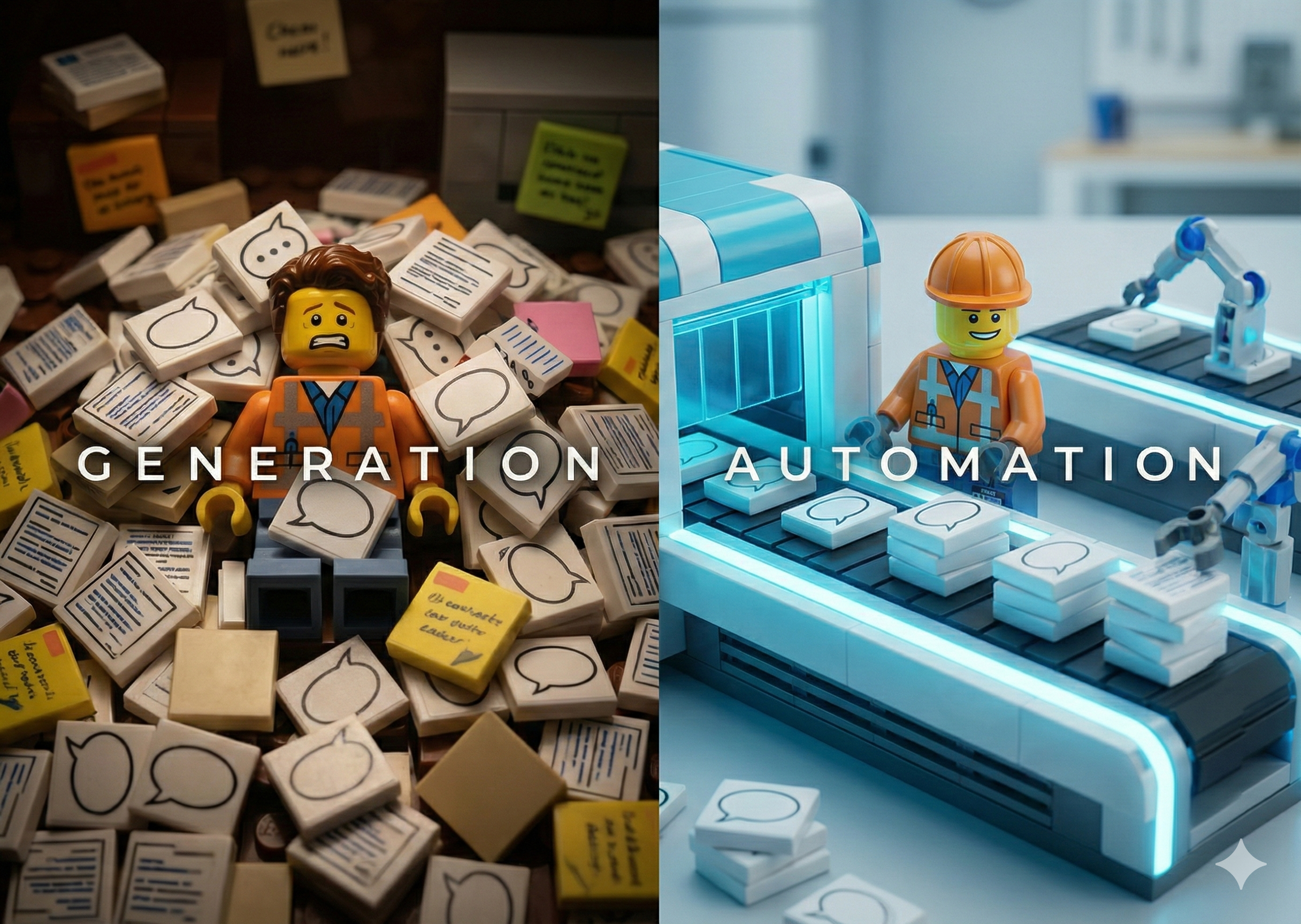
Let me show you what this looks like in practice. These are real stories from my own work.
Example 1: The Jira Ticket Quality Agent
The Pain: I noticed the quality of our Jira tickets sucked. Plain and simple. I was spending hours every week nagging Developers and the Product Owner: "Please add acceptance criteria," "What does this mean?", "This is too vague." I felt less like a coach and more like a hall monitor.
The Old Way (Generation): Jira Cloud has a button that says "Improve Story" which uses Rovo AI (Atlassian's new intelligence engine). It works great—but you have to click it manually every single time. It's still me doing the work.
The New Way (Building):
I realized that if I could prompt Rovo manually, I could automate it. So I built a "Ticket Quality Agent" right inside Jira.
Here is what it does:
- When a new story is created, the Agent wakes up.
- It reads the Description.
- It automatically rewrites the Description to follow our team's standard format (Gherkin syntax, clear acceptance criteria).
- Critical step: It copies the original description into a comment so we never lose the human context.
- It adds a flag to the ticket and posts a comment saying: "This description was rewritten by automation. Please review for accuracy."
The Result: I don't nag anymore. The system does the heavy lifting. The developers just review the work (editing) instead of starting from staring at a blank page (writing). Ticket quality surged. Uncertainty dropped. Delivery improved.
Example 2: The Shoulder Tapper
The Pain: In a previous role, I noticed a massive bottleneck. Tickets would sit in the "Pending PO Review" status for days. The Product Owner was busy and simply forgot to check the board. I found myself essentially acting like a human alarm clock, constantly pinging the PO: "Hey, did you see this ticket?"
The New Way (Building):
I realized the bottleneck wasn't the review itself; it was the awareness. The PO needed a tap on the shoulder.
I built a simple automation:
- Trigger: When a ticket transitions to "Pending PO Review"...
- Action: Send a direct Slack message to the Product Owner with the ticket link and the message: "Ready for your eyes."
The Result: The "Shoulder Tapper" worked instantly. The PO didn't have to remember to check Jira; the work came to them. Flow improved immediately. I finally stopped being the "did you see this?" guy.
Markdown: The Universal Language
One tactical note: get comfortable with Markdown. As I wrote in GitHub for Everyone, Markdown is the Universal Translator between humans and AI.
Markdown is the language that connects you to AI tools. It's how you structure prompts clearly. It's how AI hands you back formatted output. It's how you write documentation that both humans and machines can understand.
You don't need to master it—just the basics. Headers (#), bullet points (-), code blocks (triple backticks). If you can write a Confluence page, you can write Markdown.
When you write your prompts in Markdown, you get better results. When the AI responds in Markdown, you can paste it directly into tools that render it. It's the universal language between humans and AI, and learning it takes about 15 minutes.
The 30-Day Builder Arc
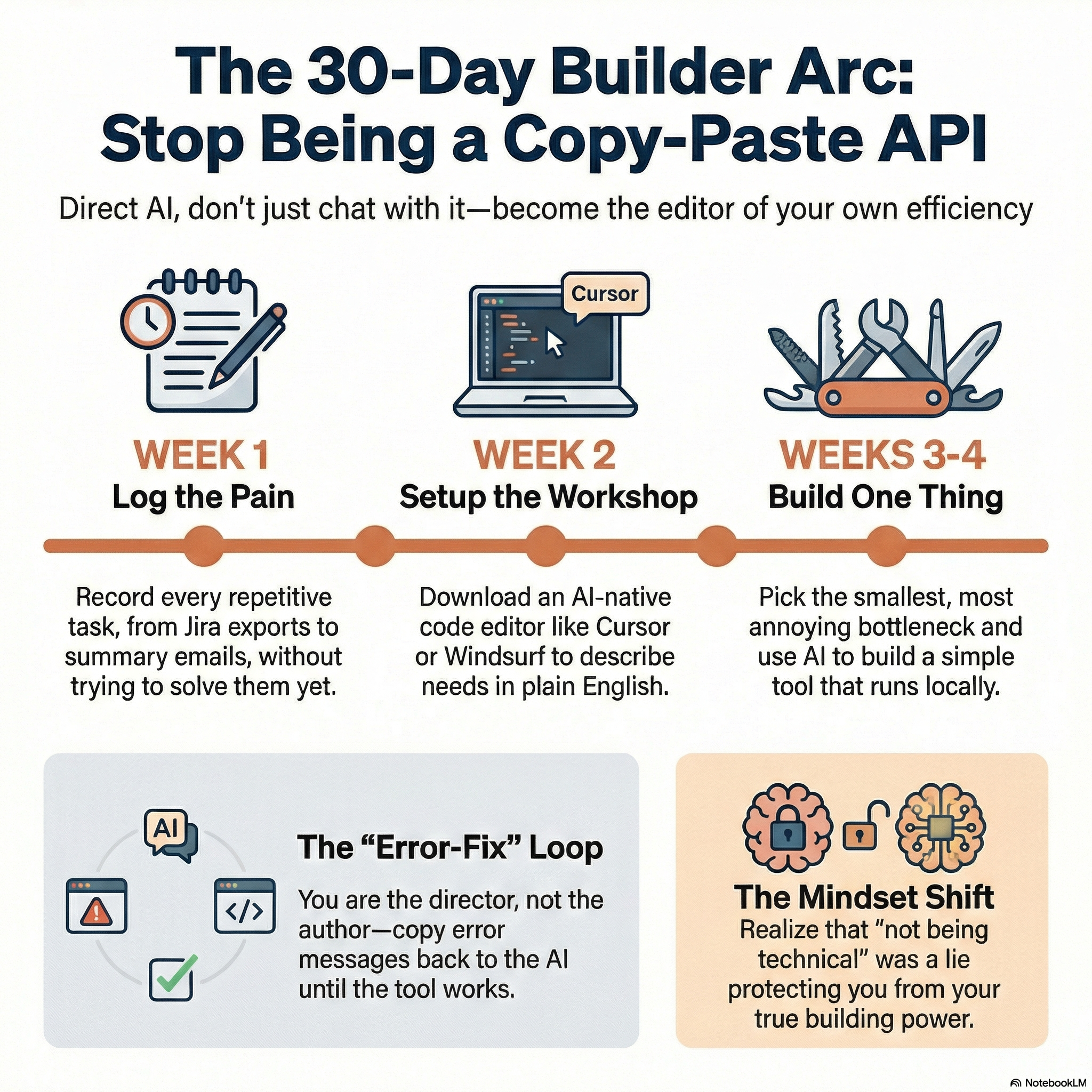
You want to stop being a copy-paste API? Here is your plan.
Week 1: Log the Pain
Don't build anything yet. Just watch yourself.
Keep a notepad open—physical or digital, doesn't matter. Every time you do something repetitive, write it down:
- "Checked Jira for missing fields - 10 minutes"
- "Exported CSV and made chart - 45 minutes"
- "Wrote sprint summary email - 20 minutes"
- "Copy-pasted standup updates into a summary - 15 minutes"
Don't judge it. Don't try to solve it yet. Just log. By the end of the week, you'll have a list of the bottlenecks everyone knows about but isn't saying out loud.
Week 2: Setup the Workshop
This is your infrastructure week. Download Cursor (cursor.com) or Windsurf (windsurf.ai). Both are AI-native code editors that let you describe what you want in plain English.
The AI will guide you through every step. That's the whole point.
Weeks 3-4: Build One Thing
Pick the smallest, most annoying item from your Week 1 list. Do not try to rebuild your own version of Jira or Azure DevOps. Build a tool that does one thing.
Start with something that:
- Runs locally on your machine (no servers, no deployment)
- Reads from a file or simple API
- Produces a simple output (a Slack message, a chart, a text file)
Here's the process:
- Describe what you want in plain English.
- The AI writes the first draft of the code.
- Try to run it. It will probably break.
- Copy the error message.
- Paste the error back to the AI: "I got this error. Fix it."
- The AI fixes it.
- Repeat until it works.
This loop is the essence of building. You are not writing code—you are directing, testing, and refining. You are the editor, not the author.
Your first tool will be ugly. It will take longer than you expected. You will feel frustrated. This is normal. But once it works, once you see it run without you touching anything—that's when the mindset shift clicks. You realize that the "I'm not technical" lie was protecting you from a power you always had.
What This Means for the Future of Agile Roles
I'll be honest: I don't know exactly what Scrum Master and Agile Coach roles look like in five years. But I know this—the practitioners who thrive will be the ones who stopped generating and started building.
The administrative work isn't going away. But it's becoming automatable. The teams that figure this out first will have coaches who spend their time on what actually matters: facilitation, conflict resolution, organizational change, and the messy human work that no bot can do.
The teams that don't will have Scrum Masters who are still exporting CSVs in 2030, wondering why they feel burned out.
Stop Doing the Computer's Job
We complain about "zombie Scrum" and "mechanical agile," yet we model mechanical behavior every day. We perform the rituals of administration instead of the work of innovation. We chase checkboxes instead of chasing outcomes.
It is for this reason that I challenge you: Delete your "Retro Agenda Generator" prompt. Close your "Email Polisher" chat window.
Stop generating text. Start building tools.
Stop being a chatbot operator. Start being a systems thinker.
The bottleneck isn't technology anymore. It's your willingness to try something uncomfortable and verify that the code actually works.
Computers love boring work. Let them have it.
Your move.
Continue Your Journey
AI Development for Non-Technical Builders: Build tools like these even if you've never written code.
Free Resources: More frameworks, tools, and guides for builders.